
Android APK guide
How to Download Daman APK
Download Daman APK to your Desktop on the DmPlay homepage to find two options: Quick installation & Complete Installation. See where to find them and how to check what each option does.
How to Download Daman Game
Step 1Add Daman APK to Desktop
On the DmPlay mobile homepage, look near the bottom of the screen and tap Add to Desktop.
Step 2Click the installation options
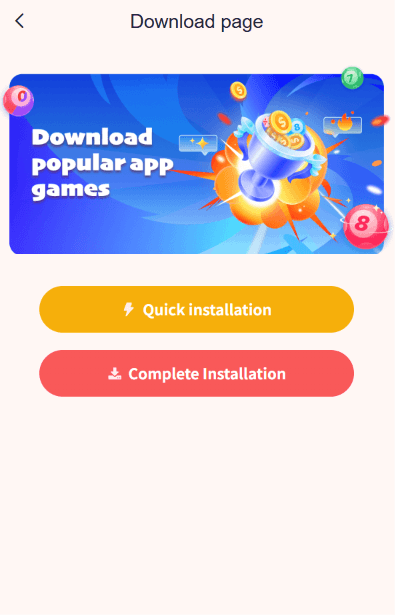
The next screen is titled Download page. Quick installation is the yellow button. Complete Installation is the red button below it.
Step 3Start Download Daman Game
If your browser starts a download, check its Downloads list for the file name. If your phone offers to add an icon to your home screen, check whether that icon opens the website.
Step 4Start Playing Daman Game
Once setup is complete, open DmPlay from your home screen. If prompted, log in with your account. On the homepage, choose a game category such as Lottery, Slots or Original.

Daman APK Old Version vs. Latest Version
| What to check | How to compare |
|---|---|
| Package name | Both files should match. |
| Version code | A higher code means a newer build of the same app. |
| Version already installed | On your phone, open Settings → Apps and look for the version in the app’s details. |
Daman APK Download Questions
Does Add to Desktop download the Daman APK?
What if I find a Daman APK on Uptodown?
Can I tell which Daman APK is newer from the filename?
Do I need an APK to open the DmPlay login screen?
⭐Looking for the DmPlay login screen?
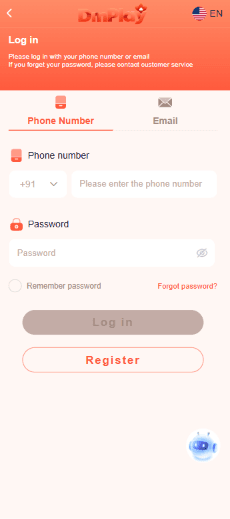
Open the DmPlay website in your browser and look for Log in beside Register.